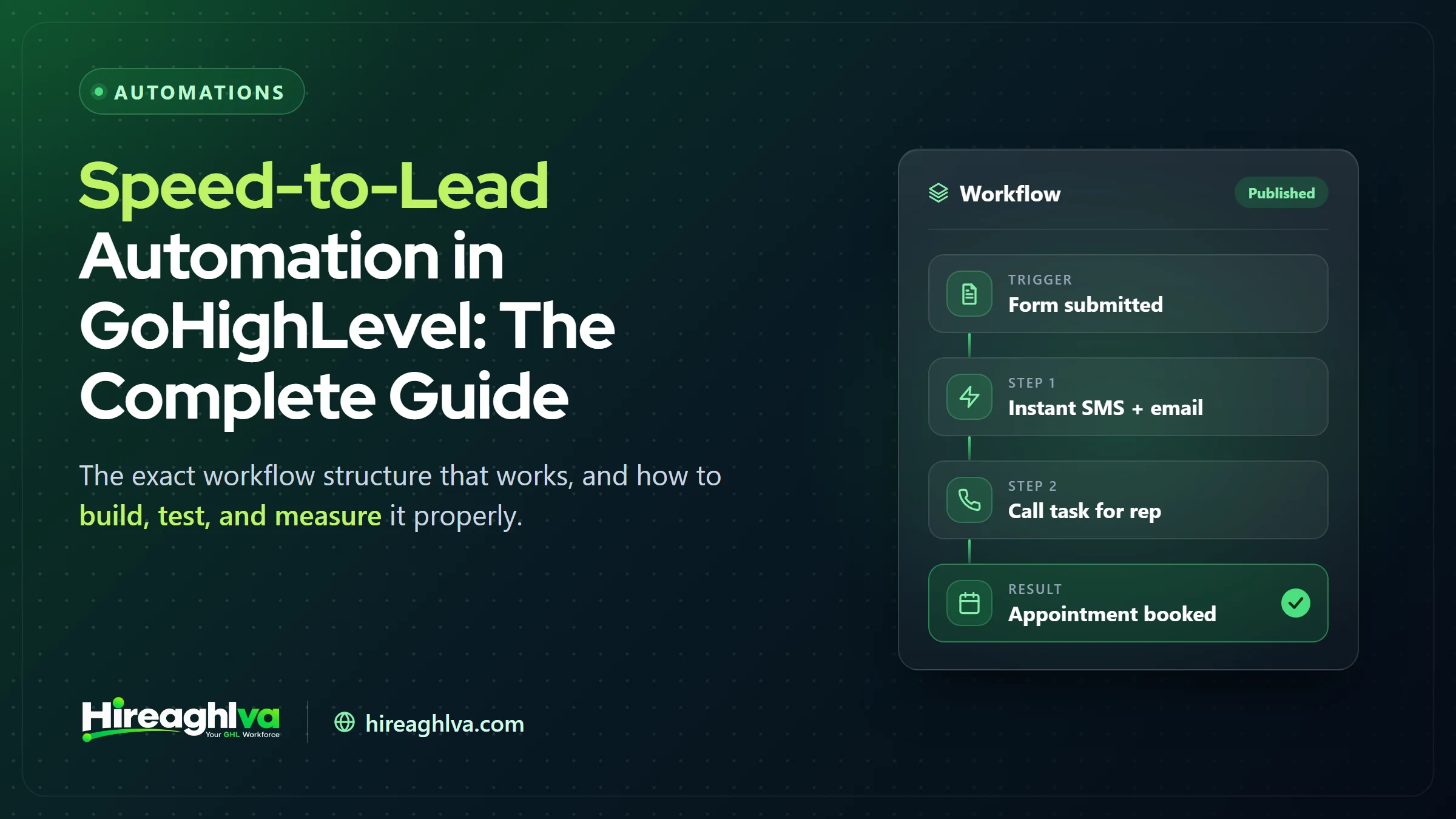
Speed-to-lead automation in GoHighLevel is a workflow that instantly acknowledges every new lead, alerts the right team member, escalates if no human responds within a set window, and falls back to a nurture sequence if the lead doesn’t convert. If you build only one automation in your GoHighLevel account this quarter, make it this one. Speed-to-lead — how quickly a new lead gets a response — has more documented impact on conversion rate than almost any other single factor in the funnel, and it’s one of the easiest things to automate well once you understand the structure.
Why does lead response time matter so much?
Lead response time matters because contact and close rates drop sharply the longer a lead waits — and lead conversion research consistently measures that drop-off in minutes, not hours. A lead who just filled out a form is, by definition, at their highest point of interest at that exact moment. Every minute that passes is a minute where they’re filling out a competitor’s form instead, getting distracted by something else, or simply cooling off emotionally on the decision.
<5 min
Commonly used response-time target for new leads
4 stages
Acknowledge, notify, escalate, nurture: the workflow structure in this guide
5–15 min
Typical escalation window before a backup or manager is alerted
The 5-minute mark is a practical target rather than a precise cutoff from a single definitive study — treat it as directional. The underlying pattern (faster response goes hand in hand with higher contact and conversion rates) is the reason the workflow below is built to acknowledge in seconds and escalate within minutes.
What does a speed-to-lead workflow in GoHighLevel include?
A properly built speed-to-lead automation in GoHighLevel includes four distinct stages — instant acknowledgment, internal notification, an escalation check, and a structured follow-up sequence — each doing a specific job:
| Item | Value |
|---|---|
| Instant acknowledgment (SMS/email) | 1 min |
| Internal notification to team | 1 min |
| Escalation check (upper end of 5–15 min window) | 15 min |
| First follow-up if no response (within about an hour) | 60 min |
If the escalation window passes with no human contact at all, a longer multi-day nurture sequence takes over from there — but that first hour is where speed-to-lead earns its name.
- Instant acknowledgment — an SMS and/or email sent within seconds of form submission, confirming the lead was received and setting expectations for what happens next.
- Internal notification — a task or SMS alert routed to the right team member, so human follow-up isn’t left to chance or a missed inbox check.
- A short delay-and-check step — if no human response is logged within a set window (commonly 5–15 minutes), an escalation fires, either to a backup team member or a manager.
- A structured follow-up sequence — for leads who don’t convert on first touch, a multi-day nurture sequence rather than letting them go cold silently after one attempt.
Common mistakes we see in existing GHL accounts
- One generic “thanks for reaching out” message with no routing logic behind it — treating every lead the same regardless of source, urgency, or service requested.
- No internal escalation — the automation fires the acknowledgment message but nobody’s notified if a human doesn’t follow up within a reasonable window.
- No differentiation by lead source — a lead from a paid ad campaign and a lead from an organic form fill often warrant different urgency and messaging, but most accounts treat them identically.
- Automations that were built once and never tested again — triggers quietly stop firing after a pipeline gets renamed or a form field changes, and nobody notices for weeks or months.
- Overly aggressive messaging cadence — sending five texts in the first hour reads as pushy rather than responsive, and can actively push a lead away.
Common speed-to-lead failure points: what to check and how to fix them
| Failure point | What to check | Fix |
|---|---|---|
| No escalation if a human misses it | Does anything happen when the follow-up task isn't completed in time? | Add a delay-and-check step that alerts a named backup or manager |
| Trigger silently broke over time | Did a pipeline rename or form-field change stop the workflow firing? | Submit a test lead monthly through every source |
| No source-based routing logic | Do paid-ad, organic form, call, and chat leads all get identical handling? | Map each lead source separately with its own copy and routing |
| Message tone or cadence issues | Are several texts going out in the first hour with no reply? | Acknowledge once, follow up once, then taper into a spaced nurture sequence |
Building it right: a step-by-step structure
Step 1: Map every lead source separately. A form fill, a phone call, a Facebook Lead Ad, and a chat widget submission often land in GHL differently and deserve different acknowledgment copy and routing — mapping this out before building prevents the “one workflow for everything” trap. (Our Facebook Lead Ads to GoHighLevel integration guide covers getting that source into GHL reliably.)
Step 2: Build the instant acknowledgment first. This is the highest-leverage, lowest-risk piece — a lead who receives immediate confirmation is meaningfully less likely to immediately look elsewhere, even before a human responds.
Step 3: Add internal routing logic. Route by service type, location, or rep availability depending on how your business actually operates — a generic “notify everyone” approach tends to create diffusion of responsibility, where everyone assumes someone else will handle it.
Step 4: Build the escalation layer. Define what “no response” means concretely (a task not marked complete, a tag not applied) and what happens next — escalate to a manager, alert a backup rep, or trigger an SMS reminder to the original assignee.
Step 5: Build the nurture fallback. For leads that genuinely don’t get a human response in time, or don’t respond to the first outreach, a multi-day nurture sequence keeps the door open rather than abandoning the lead after one attempt. For a long-cycle example, see our nurture automation playbook for mortgage brokers.
Step 6: Test against real scenarios, not just the happy path. Submit test leads at odd hours, with missing phone numbers, with duplicate submissions, and through each different source — this is where most “should work” automations reveal the edge cases that actually break in production.
How do you test a speed-to-lead workflow?
Test a speed-to-lead workflow by submitting real test leads through every source, at non-business hours, with missing contact details and duplicate submissions — then repeat the check monthly, because automations decay silently.
Fires correctly for each lead source
- Tested before launch
- Not tested
Handles missing phone/email gracefully
- Tested before launch
- Not tested
Escalation triggers on missed response
- Tested before launch
- Not tested
Tested at non-business hours
- Tested before launch
- Not tested
Duplicate submission handling verified
- Tested before launch
- Not tested
Confirmed still working after 30 days
- Tested before launch
- Not tested
| Tested before launch | Not tested | |
|---|---|---|
| Fires correctly for each lead source | ||
| Handles missing phone/email gracefully | ||
| Escalation triggers on missed response | ||
| Tested at non-business hours | ||
| Duplicate submission handling verified | ||
| Confirmed still working after 30 days |
That last row matters more than most teams expect. Automations don’t fail only at launch — they fail months later when a pipeline stage gets renamed, a form field gets added, or a tag naming convention drifts. A recurring monthly check (even a quick manual test-lead submission) catches this kind of silent decay before it costs real leads.
Measuring whether it’s actually working
Once a speed-to-lead automation is live, track a small set of concrete numbers rather than relying on impressions:
- Median time-to-first-response, measured from form submission to the first human or automated touch.
- Percentage of leads contacted within 5 minutes, tracked weekly to catch drift over time.
- Contact rate and conversion rate, compared before and after the automation went live, to isolate its actual impact.
- Escalation trigger frequency — a high escalation rate suggests either understaffing at certain hours or a routing problem worth investigating.
A useful sanity check: if your escalation workflow rarely or never fires, that’s not necessarily good news — it might mean the escalation logic itself is broken rather than that every lead is being contacted in time. Periodically test it deliberately.
Adapting speed-to-lead by industry
Speed-to-lead structure isn’t identical across every business type. A home services company handling emergency repair requests needs near-instant human contact, since the lead is often actively comparing multiple providers in real time — which is also why GoHighLevel missed call text-back matters for calls nobody picks up. A law firm handling a consultation request has slightly more slack, since the decision cycle is naturally longer, but still benefits enormously from a same-hour response versus a next-day one (our breakdown of after-hours call automation for law firms covers the off-hours side). A real estate agent fielding a listing inquiry needs speed specifically because competing agents are frequently notified of the same lead simultaneously through shared lead-gen platforms.
The core structure — acknowledge instantly, route intelligently, escalate if missed, nurture if unconverted — stays consistent. What changes by industry is the acceptable response-time window, the tone of the acknowledgment message, and how aggressively the nurture sequence follows up afterward.
How speed-to-lead requirements shift by industry
| Industry | Why speed matters | Response expectation |
|---|---|---|
| Home services (emergency repairs) | Lead is actively comparing multiple providers in real time | Near-instant human contact |
| Law firms (consultation requests) | Longer decision cycle, but still comparing firms | Same-hour response, not next-day |
| Real estate (listing inquiries) | Competing agents are often notified of the same lead simultaneously | As fast as possible |
| Any business, outside business hours | Lead should not be left guessing | Instant automated acknowledgment 24/7; human follow-up at start of business hours |
The psychology behind why speed converts
It’s worth understanding why speed has such an outsized effect, because that understanding shapes how you should design the acknowledgment message itself, not just the timing. When someone submits a form, they’re at a specific emotional peak — they’ve decided this is worth the effort of typing out their information, and that decision carries momentum. An immediate response validates that decision was worthwhile and keeps the momentum moving forward. A delayed response — even just twenty or thirty minutes — gives that momentum time to dissipate, doubt to creep in (“maybe I should compare a couple more options first”), or a competitor’s faster response to arrive and capture the decision instead.
This is also why the content of the instant acknowledgment matters, not just its speed. A generic “We received your message” does the minimum job of confirming receipt, but a stronger acknowledgment does more: it sets a specific, credible expectation (“A specialist will call you within the next 15 minutes”), and ideally reinforces why the lead reached out in the first place. The goal isn’t just speed for its own sake — it’s using that speed to keep the emotional momentum that got the lead to submit the form in the first place.
Building the internal side: making sure a human actually follows up
The automation half of speed-to-lead gets most of the attention, but the human-side process it triggers matters just as much. An instant, well-written acknowledgment message is undermined completely if the internal notification gets lost in a crowded inbox or a Slack channel nobody’s actively watching.
A few practical patterns that consistently work better than a generic “email the team” notification:
Route by availability, not just by role. If your team uses GHL’s calendar/availability features, route new-lead notifications specifically to whoever is currently marked available, rather than blasting the entire team and hoping someone picks it up — this reduces the diffusion-of-responsibility problem where everyone assumes a colleague already handled it.
Use a task with a hard deadline, not just a notification. A GHL task assigned with a due time (e.g., 10 minutes from creation) creates a visible, trackable commitment in a way a Slack ping or email doesn’t — and it gives you a clean audit trail for how often that deadline is actually met.
Make the escalation path genuinely enforceable. If the assigned task isn’t marked complete within the window, escalate to a specific named backup — not a vague “someone should check on this.” Ambiguous ownership is where speed-to-lead workflows quietly fail even when the automation itself is technically firing correctly.
Review the data monthly, not just when something obviously breaks. A short recurring review of median response time and escalation frequency surfaces slow drift — a team member consistently missing their window, a lead source with unusually poor response times — long before it becomes an obvious, expensive problem.
Sample message copy that works (and what to avoid)
The exact wording of a speed-to-lead sequence matters more than most businesses assume. A few patterns worth following, and a few worth avoiding:
Do: Confirm receipt, state a specific timeframe, and give the lead an immediate alternative if they can’t wait. Something like: “Thanks for reaching out, [Name] — we got your request and [Rep Name] will call you within 15 minutes. Need help sooner? Call/text us directly at [number].” This does three jobs at once: confirms the request was received, sets a concrete expectation, and gives an escape hatch for urgent cases.
Avoid: Vague, corporate-sounding acknowledgments that don’t commit to anything specific — “Thank you for your interest. Someone will be in touch soon.” “Soon” means nothing to a lead who’s actively comparing options right now, and it sets no bar the business can be held accountable to.
Do: Personalize the follow-up sequence based on what the lead actually requested, not a single generic template applied to every submission. A lead who requested an emergency repair quote should get different messaging than one who downloaded a general pricing guide — treating both identically wastes the context you already collected.
Avoid: Sending multiple messages within the first hour without a response. This reads as pressure rather than responsiveness, and it’s one of the more common ways an otherwise well-intentioned automation actively damages the lead relationship instead of helping it.
Do: Build in a natural pause and re-engagement point rather than an unbroken drip. A short initial burst (acknowledgment plus one follow-up if no response within an hour or two), then a longer-spaced nurture sequence over the following days, respects the lead’s attention while still keeping the door open.
Integrating speed-to-lead with your reporting
A speed-to-lead automation that isn’t measured is a speed-to-lead automation you’re taking on faith. Building a simple dashboard alongside the automation — even a basic one, or a custom GoHighLevel dashboard if you need more — turns “I think it’s working” into a number you can actually defend. At minimum, track:
Median response time
From form submission to first human contact, tracked weekly
% within 5 minutes
The simplest weekly check against a 5-minute response target
Beyond those two headline numbers, a useful secondary layer breaks response time down by lead source and by time of day — patterns here often reveal specific, fixable gaps (a particular ad campaign generating leads outside normal staffing hours, for instance) that a single blended average would hide entirely.
What changes as your lead volume grows
A speed-to-lead workflow built for a business handling ten leads a week looks different from one built for a business handling two hundred. At low volume, a single routing path to one or two team members with a straightforward escalation is usually sufficient. As volume grows, the routing logic needs to account for capacity — round-robin assignment across a larger team, load balancing by current open-task count, or splitting routing by service line or location so no single person becomes a bottleneck.
This is also where the internal notification design starts to matter more than the lead-facing acknowledgment. At low volume, a Slack ping or email works fine because someone will naturally notice it. At higher volume, without a structured task-and-deadline system, notifications start blending into background noise, and the escalation layer stops being a rare safety net and starts becoming a routine, load-bearing part of the workflow. Revisiting the automation’s structure as volume changes — rather than assuming what worked at ten leads a week still works at two hundred — is a normal part of maintaining it, not a sign the original build was wrong. That ongoing upkeep is a natural fit for a dedicated GoHighLevel VA rather than something squeezed in between sales calls.
Frequently asked build questions
Should the acknowledgment come from a person or the business? Either can work, but a message that reads as coming from a specific team member (“Hey, it’s Sarah from [Business] — got your request!”) tends to feel warmer and more human than a purely branded, corporate-sounding message, especially for service businesses where the relationship is personal.
Should SMS or email fire first? SMS typically gets read faster — often within minutes — making it the better channel for the instant acknowledgment specifically (assuming your sending number is properly registered — see our A2P 10DLC guide for GoHighLevel users). Email works well for the more detailed follow-up content (service details, what to expect, links to resources) that doesn’t fit naturally into a text message.
What if a lead replies to the automated message? This needs a clear handoff plan. A reply to an automated acknowledgment should route directly to a human, not sit in an automation with no one monitoring it — an automated message that goes unanswered when a lead actually responds does more damage than not automating at all, because it signals nobody’s actually paying attention.
Bringing it together
Speed-to-lead isn’t a nice-to-have automation buried in a longer priority list — it’s frequently the single highest-ROI workflow you can build in GoHighLevel, because it acts directly on the moment a lead is most likely to convert. The technical build isn’t complicated; triggers, conditions, and actions are all native GHL functionality. What separates a speed-to-lead workflow that actually works from one that merely looks correct in the builder is disciplined testing against real-world scenarios, and revisiting it periodically to catch the silent decay that affects every automation over time.
Written by the Hireaghlva GoHighLevel team
We build and run GoHighLevel accounts, automations, dashboards, and websites for agencies and local businesses across the US and Canada. This guide reflects that hands-on work, with sources cited inline where we reference outside data. Last reviewed September 13, 2026.